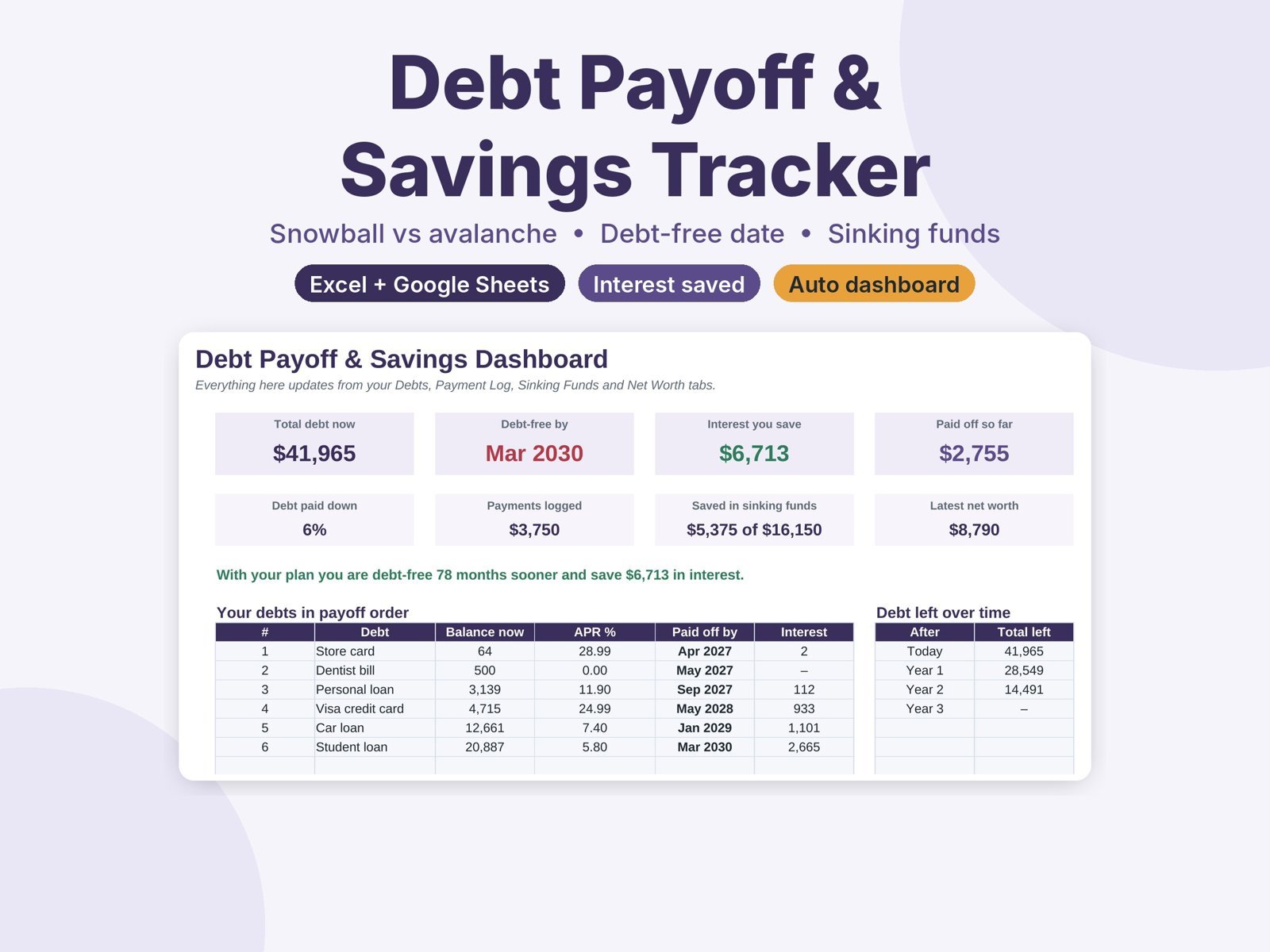
Compare debt snowball vs avalanche, see your debt-free date and interest saved, and track sinking funds and net worth. Excel and Google Sheets.
$12.99
Buy on Etsy- Excel and Google Sheets
- Blank and filled-in example
- Instant download
- Secure checkout on Etsy
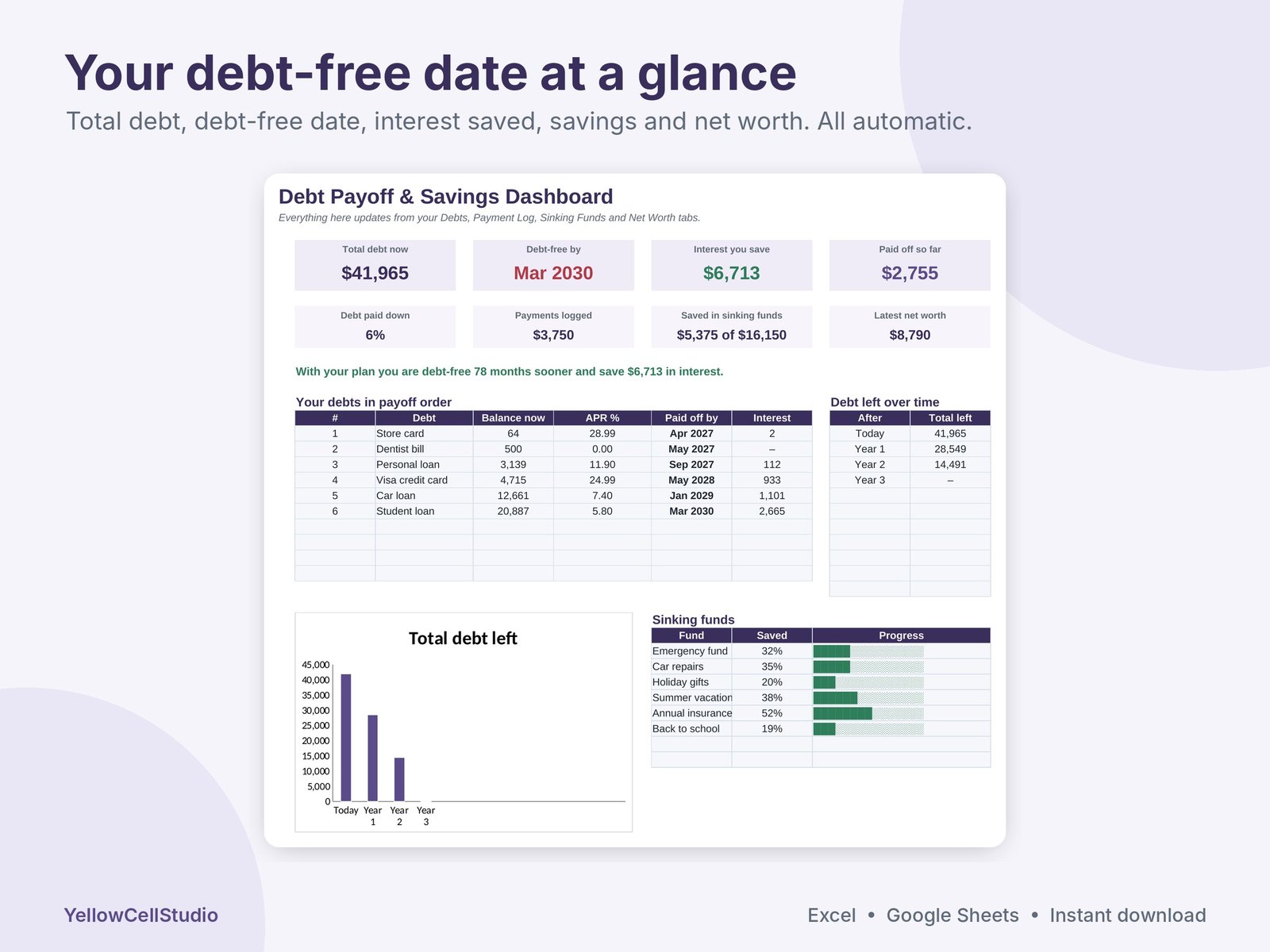
See the exact month you’ll be debt-free, and how much interest you’ll save getting there. This tracker compares the debt snowball and debt avalanche side by side, builds your month-by-month payoff plan, and helps you save for the big costs you know are coming.
What’s inside
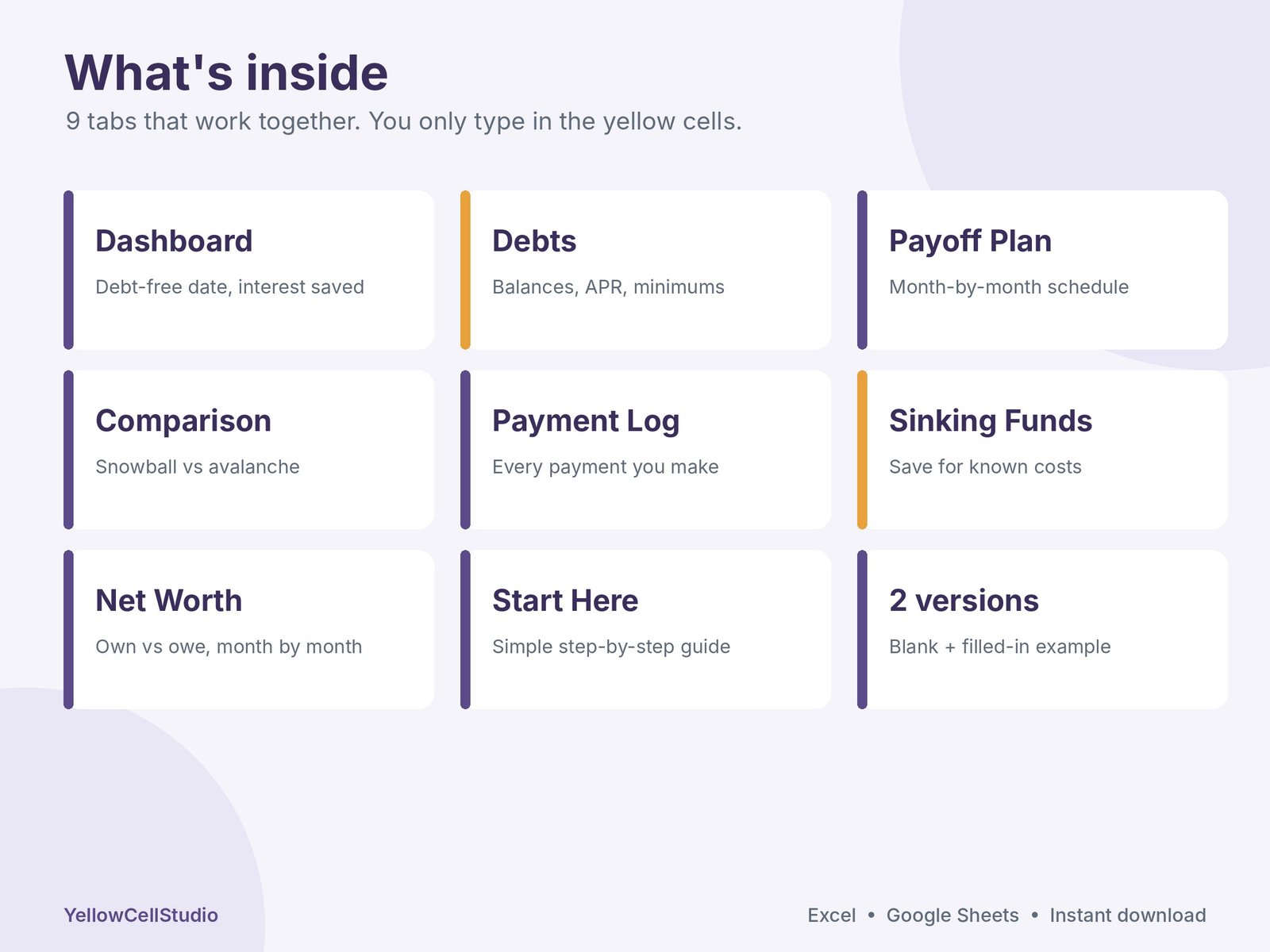
- Dashboard: total debt, debt-free date, interest saved, debt paid down, sinking funds and net worth at a glance
- Debts: up to 10 debts with balance, APR, minimum payment, due day and a paid-down progress bar
- Payoff Plan: which debt to pay first and a month-by-month schedule showing what you pay, the interest and every balance until it hits zero
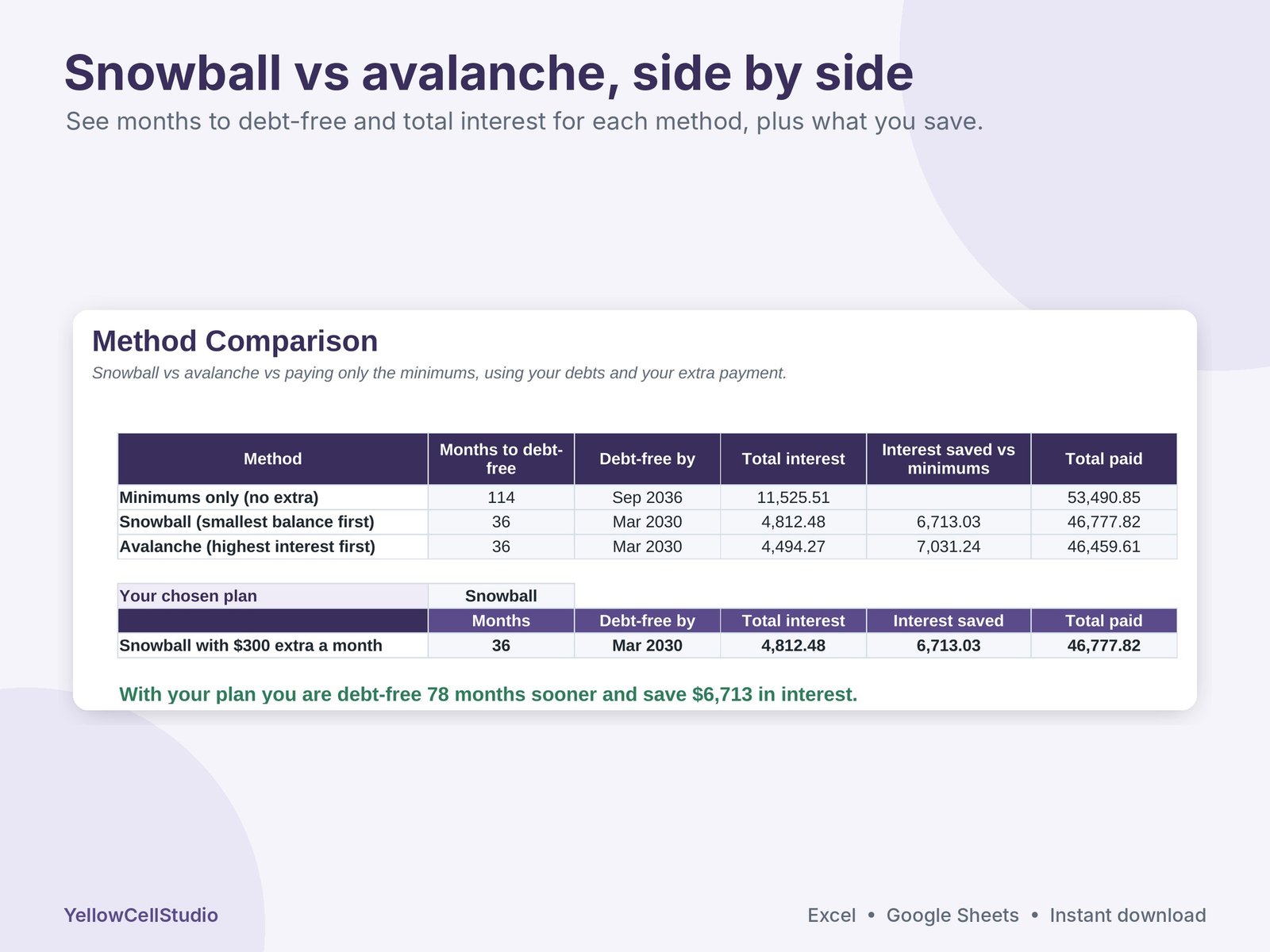
- Method Comparison: snowball vs avalanche vs minimums only, with months to debt-free, total interest and interest saved
- What-if: add an extra monthly payment or a one-time payment (tax refund, bonus) and see your new debt-free date instantly
- Payment Log: record every payment; totals flow to your Debts tab and Dashboard
- Sinking Funds: up to 15 savings goals with target, date, how much to save each month and progress bars
- Net Worth: what you own vs what you owe, month by month, with a chart
- Start Here guide, plus a blank version and a filled-in example
How it works
- Download and open in Excel, or upload to Google Drive and open with Google Sheets.
- On Setup, choose your currency, plan start month, snowball or avalanche, and any extra you can pay each month.
- List your debts on the Debts tab. Type only in the yellow cells; everything else updates by itself.
- Follow your plan, log your payments and update balances from your statements.
Good to know
- Works in Excel 2016 or newer, Excel for Mac, Microsoft 365 and Google Sheets
- Any currency
- Plans up to 10 years ahead. Interest is worked out monthly from your APR, so your lender’s figures may differ slightly
- This is a planning tool, not financial advice
- Digital download. Nothing will be shipped
- For personal use. Please don’t share or resell the files
- Need help? Message us on Etsy and we’ll get you set up
Made by YellowCellStudio, a product of QSE Advisory. Every formula is tested in Excel and Google Sheets, and every file is checked by QSE Advisory experts before release.
Questions
Do I need Excel?
No. It works in Microsoft Excel 2016 or newer, Excel for Mac, Microsoft 365 and free Google Sheets.
How do I get the file?
Buy on Etsy and the download link appears straight away. Nothing is shipped.
Is it hard to use?
You only type in the yellow cells. Totals, dashboards and charts update by themselves, and a Start Here tab explains each step.
What if something doesn’t work?
Message us on Etsy. We fix errors fast and will help you set up the file.