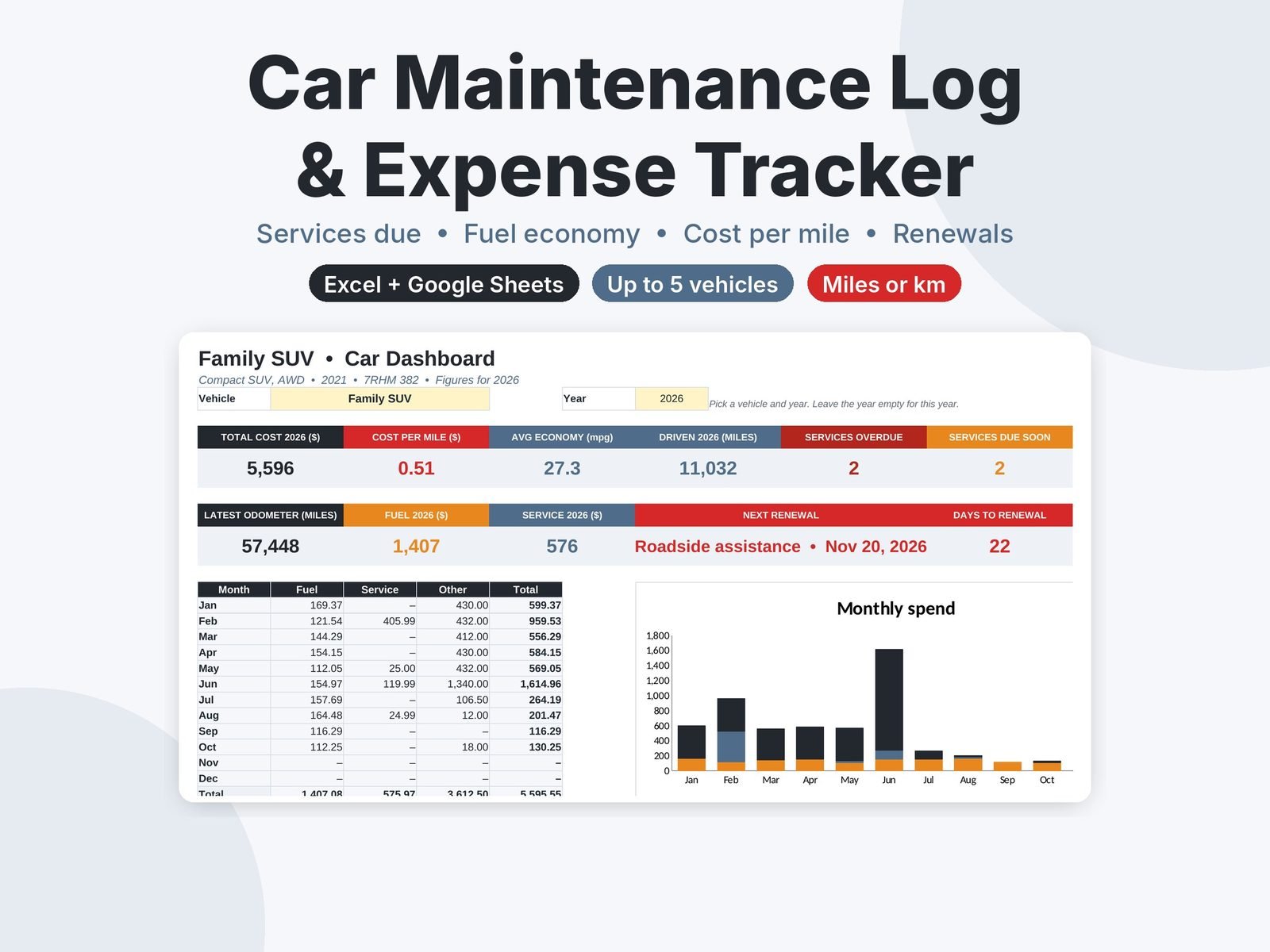
Track services, fuel economy and every car cost for up to 5 vehicles. See what’s due next and your cost per mile. Excel and Google Sheets.
$8.99
Buy on Etsy- Excel and Google Sheets
- Blank and filled-in example
- Instant download
- Secure checkout on Etsy
Keep every car in the household on schedule and know exactly what each one costs. Log services, fill-ups and expenses as you go, and the spreadsheet tells you what’s due next, your fuel economy and your real cost per mile.
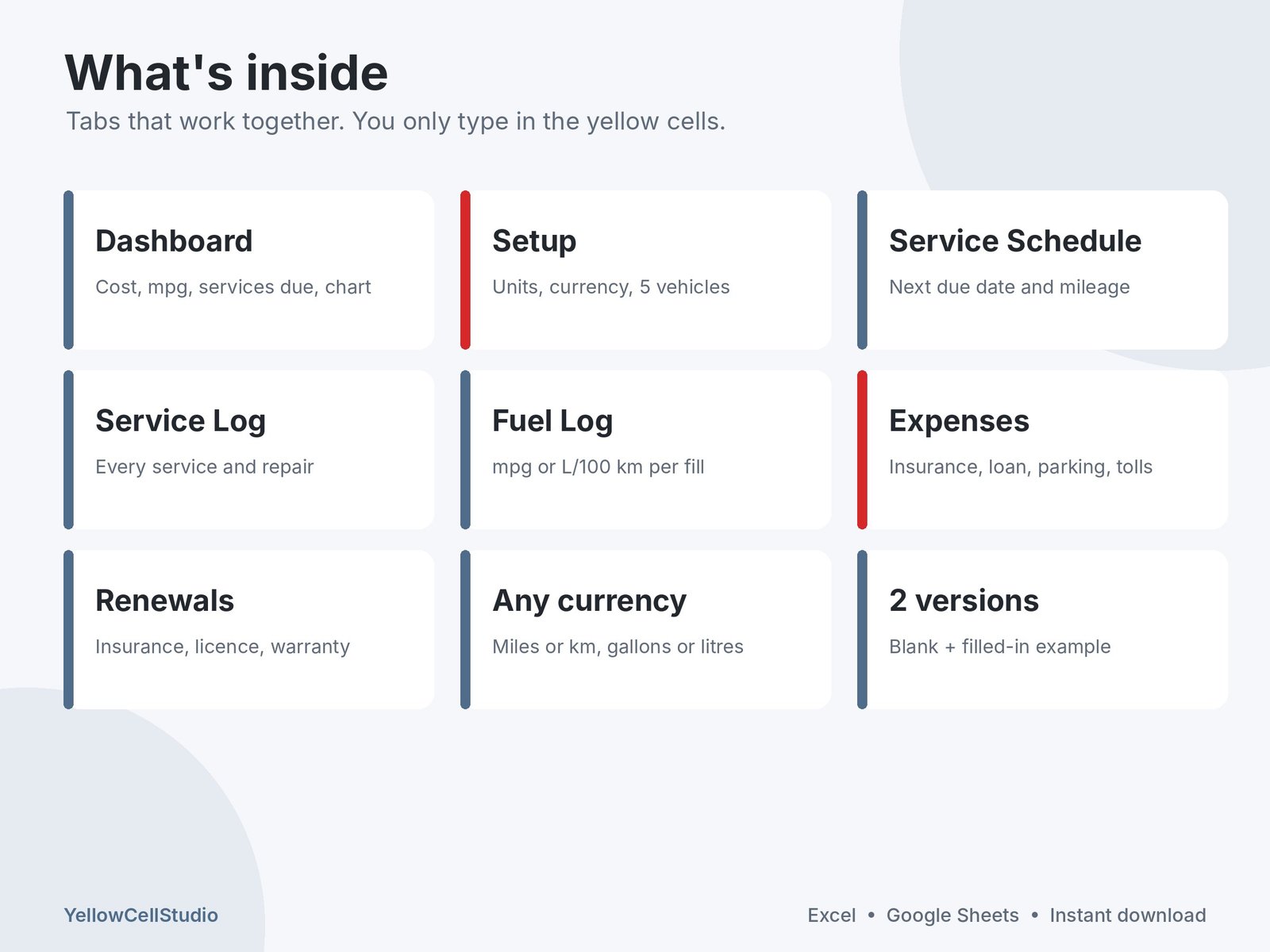
What’s inside
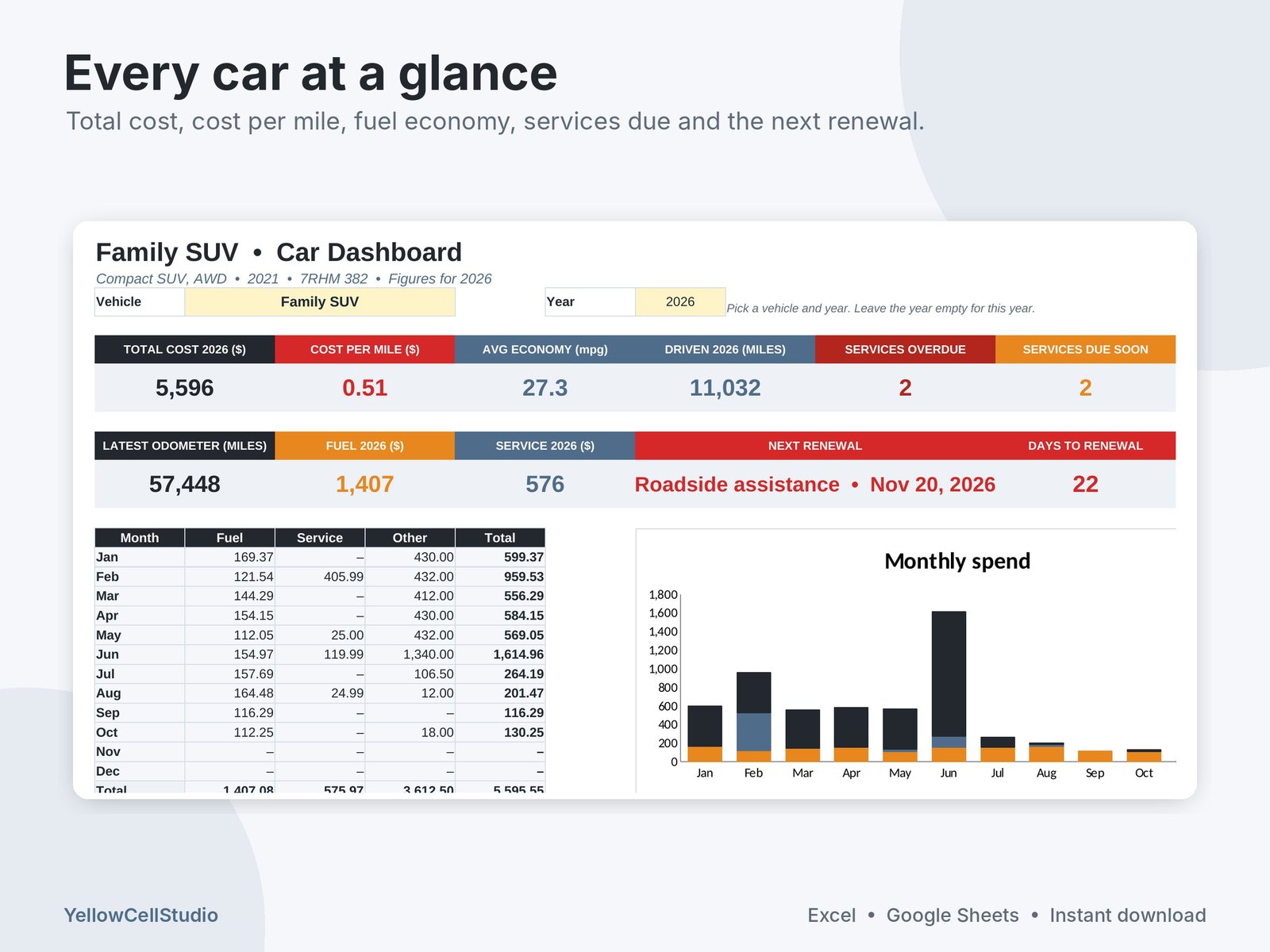
- Dashboard: pick a vehicle and year to see total cost, cost per mile or km, average fuel economy, distance driven, services overdue and due soon, the next renewal, a monthly spend chart and where the money goes
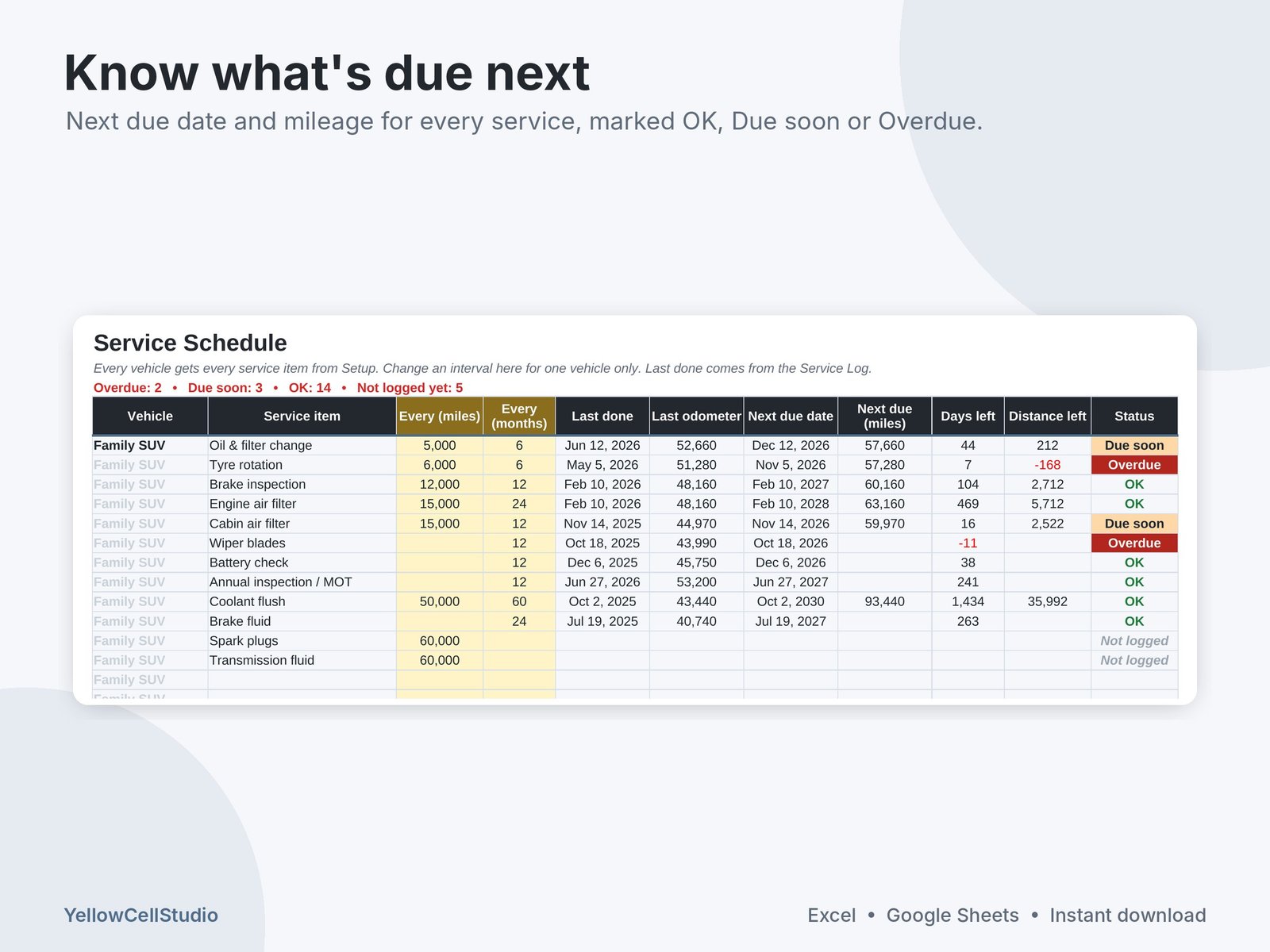
- Service Schedule: every service item for every vehicle, with last done date and odometer, next due date, next due mileage and a status of OK, Due soon or Overdue
- Service Log: date, vehicle, odometer, service item, shop, cost and notes for every service and repair
- Fuel Log: date, odometer, quantity and cost. Distance since the last fill, mpg or L/100 km, price per gallon or litre and cost per mile or km work out by themselves
- Expenses: insurance, registration, loan or lease payments, parking, tolls, repairs and more
- Renewals & Documents: insurance, registration, driver’s licence, warranty and membership expiry dates marked Active, Due soon or Expired
- Setup: miles or km, gallons or litres, any currency, up to 5 vehicles, standard service intervals you can change, and your own expense categories
- Start Here guide, plus a filled-in example with two family cars and 18 months of services, fill-ups and expenses
How it works
- Download the files after purchase
- Open in Excel, or upload to Google Drive and open with Google Sheets (share it with your household so everyone can log fill-ups from their phone)
- Add your vehicles on Setup and log services, fill-ups and expenses. Type only in the yellow cells. Everything else updates by itself
Good to know
- Works in Excel 2016 or newer, Excel for Mac, Microsoft 365 and Google Sheets
- A service is due at whichever comes first: the mileage or the months. Statuses use today’s date and update each time you open the file
- Start by logging the last time each service was done, so the schedule knows where you are
- This is a digital download. Nothing will be shipped
- For your own personal or household use. Please do not share or resell the files
- Need help? Message us on Etsy and we’ll get you set up
Made by YellowCellStudio, a product of QSE Advisory. Every formula is tested in Excel and Google Sheets, and every file is checked by QSE Advisory experts before release.
Questions
Do I need Excel?
No. It works in Microsoft Excel 2016 or newer, Excel for Mac, Microsoft 365 and free Google Sheets.
How do I get the file?
Buy on Etsy and the download link appears straight away. Nothing is shipped.
Is it hard to use?
You only type in the yellow cells. Totals, dashboards and charts update by themselves, and a Start Here tab explains each step.
What if something doesn’t work?
Message us on Etsy. We fix errors fast and will help you set up the file.