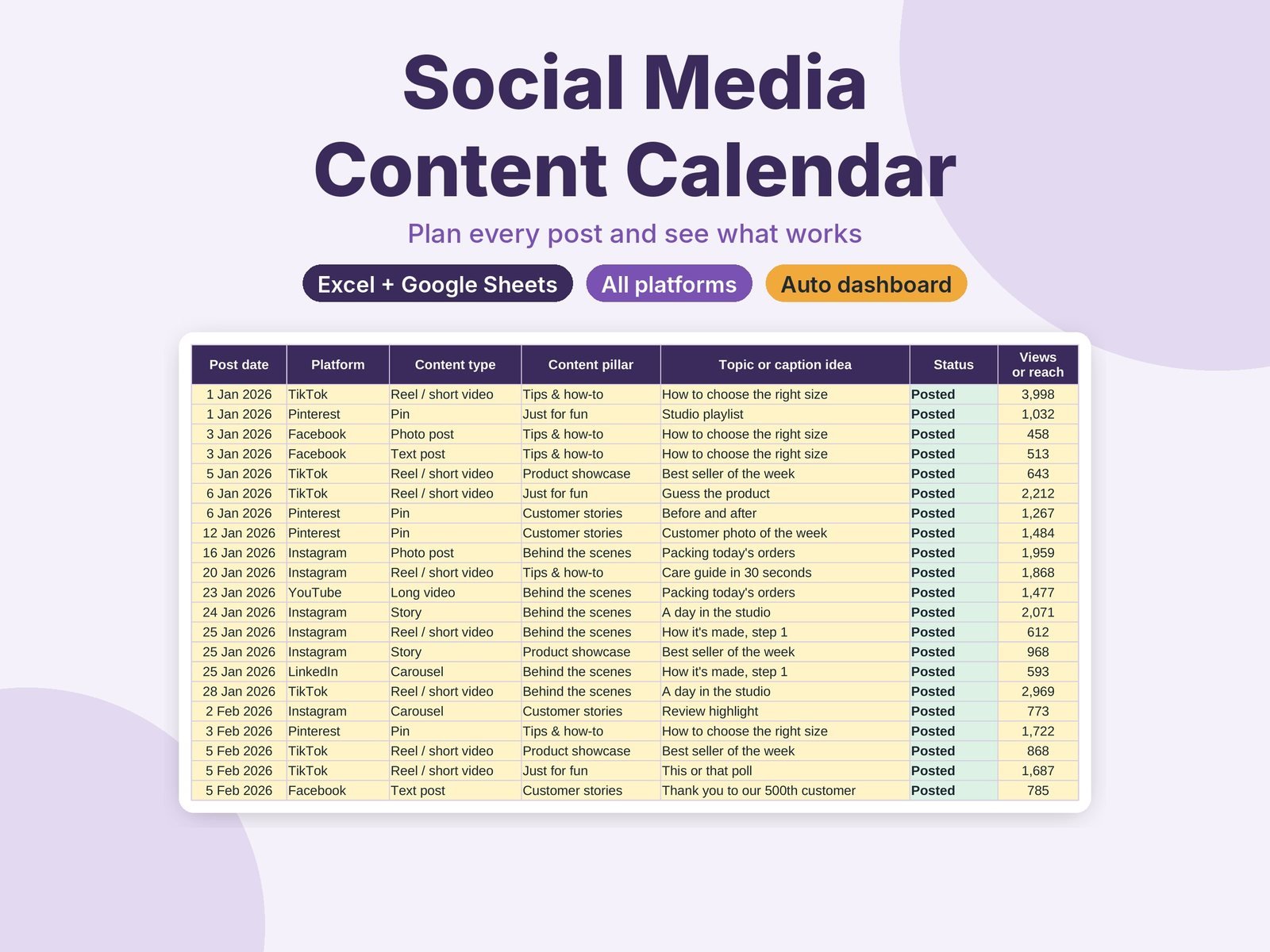
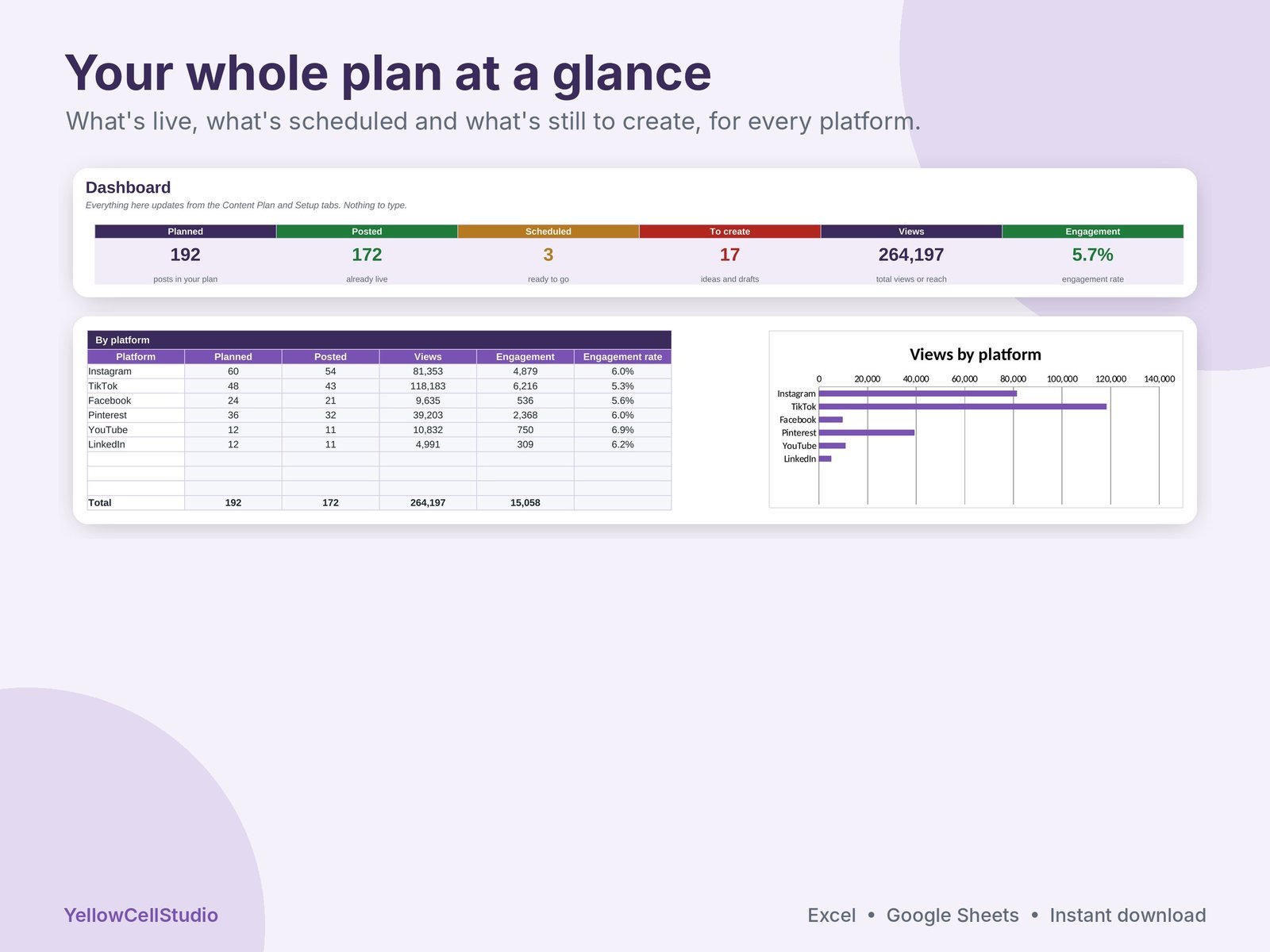
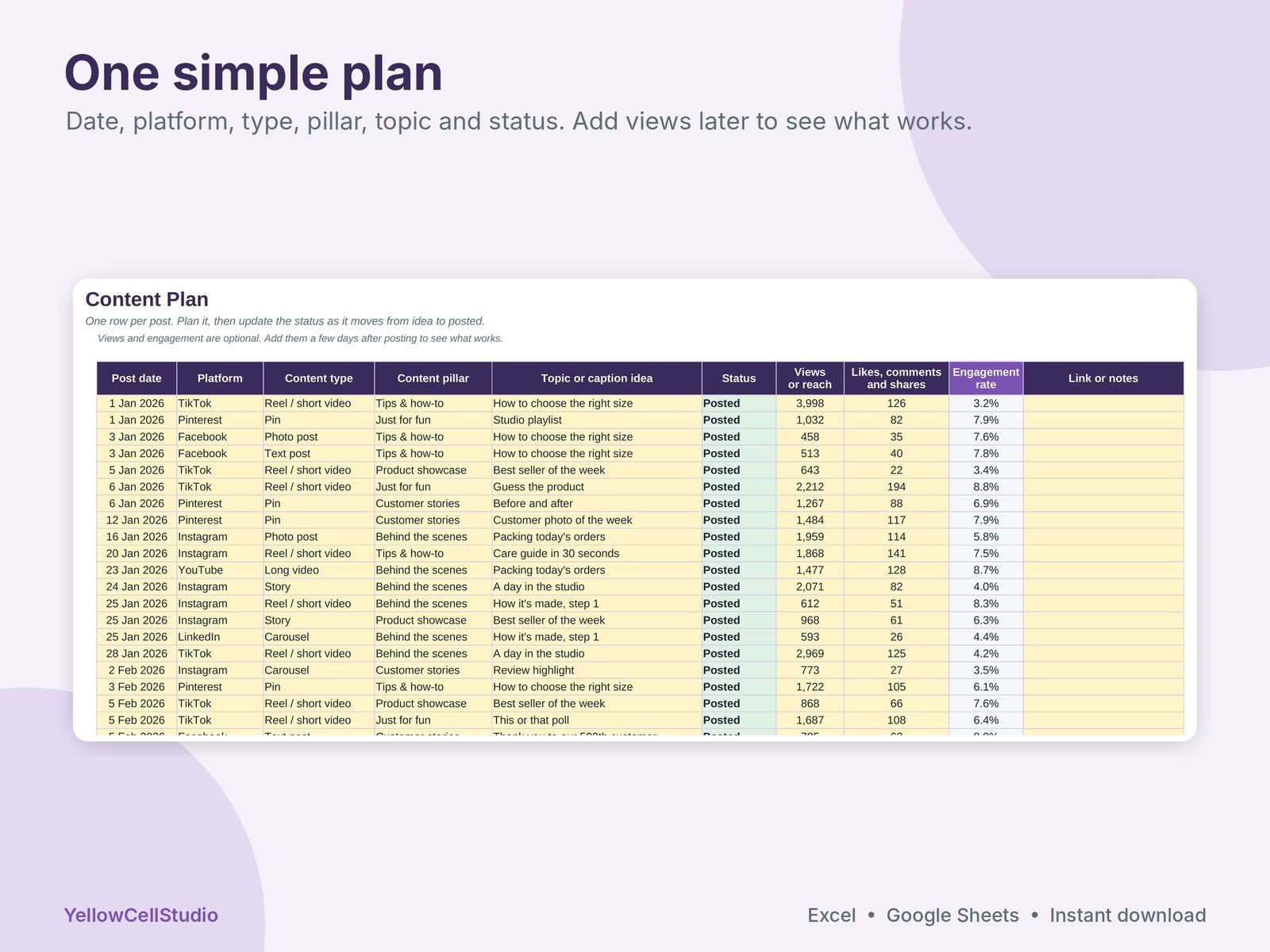
Plan your posts for every platform in one place. Add one row per post, update the status as it moves from idea to posted, and the dashboard shows what’s live, what’s still to create, and which platforms and topics get the most views and engagement.
$7.99
Buy on Etsy- 2 Excel files: blank and filled-in example
- Opens in Excel or Google Sheets
- Instant download
- Secure checkout on Etsy
What’s inside
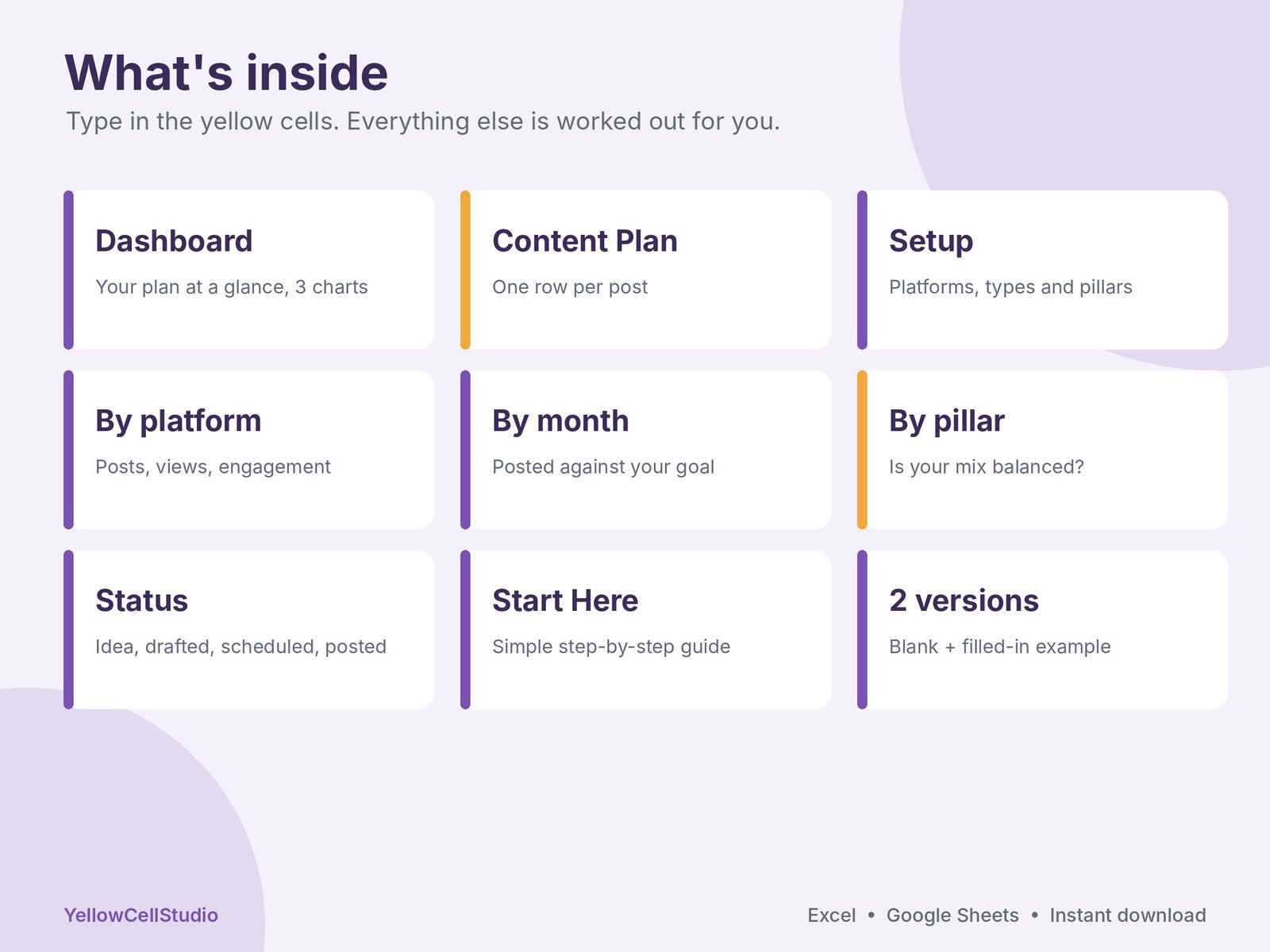
- Dashboard: posts planned, posted, scheduled and still to create, total views and engagement rate, with 3 charts
- By platform: planned, posted, views, engagement and engagement rate
- Month by month: planned and posted against your monthly goal
- By content pillar: how your posts are spread, with views and engagement rate
- Content Plan: room for 600 posts with dropdowns for platform, type, pillar and status
- Setup: up to 12 platforms, content types and pillars
- Start Here tab with simple steps
What you get
- 2 Excel files: a blank version and a filled-in example
- Opens in Excel or Google Sheets
- Instant download
How it works
- Name your platforms, content types and pillars on the Setup tab.
- Add one row per post on the Content Plan tab and keep the status up to date.
- Check your plan and results on the Dashboard.
Good to know
- This is a planning spreadsheet. It does not post for you or connect to your social media accounts.
- Views and engagement are typed in by you and are optional.
- Built for Excel 2016 or newer, Excel for Mac and Microsoft 365, using only standard functions that Google Sheets also supports.
- This is a digital download. Nothing will be shipped.
- For use in your own business. Please don’t share or resell the files.
Made by YellowCellStudio, a product of QSE Advisory. Before release, both files were recalculated and checked tab by tab for formula errors, and the example dashboard was checked against its data.
Questions
Is anything shipped?
No. You download two Excel files straight after checkout.
Does it work in Google Sheets?
It is built for Excel 2016 or newer and uses only standard functions that Google Sheets also supports. Upload the file to Google Drive and open it with Google Sheets.
Does it post for me?
No. It is a planning spreadsheet. It does not connect to your social media accounts.