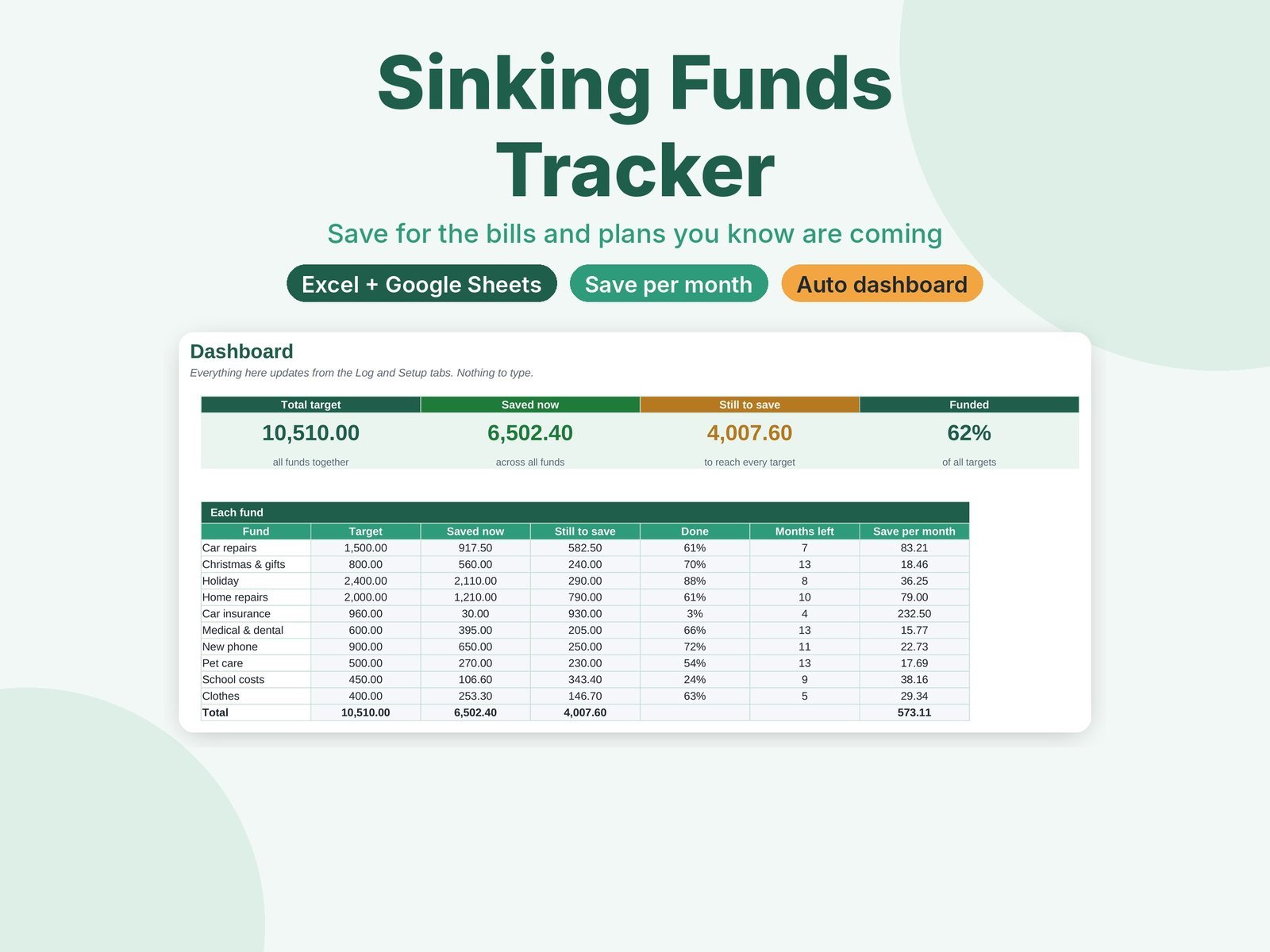
Save a little each month for the costs you know are coming: car insurance, holidays, gifts, repairs. Set a target and a date for each fund, log what you put in and take out, and the dashboard shows what each fund has and what to save each month to get there.
$7.99
Buy on Etsy- 2 Excel files: blank and filled-in example
- Opens in Excel or Google Sheets
- Instant download
- Secure checkout on Etsy
What’s inside
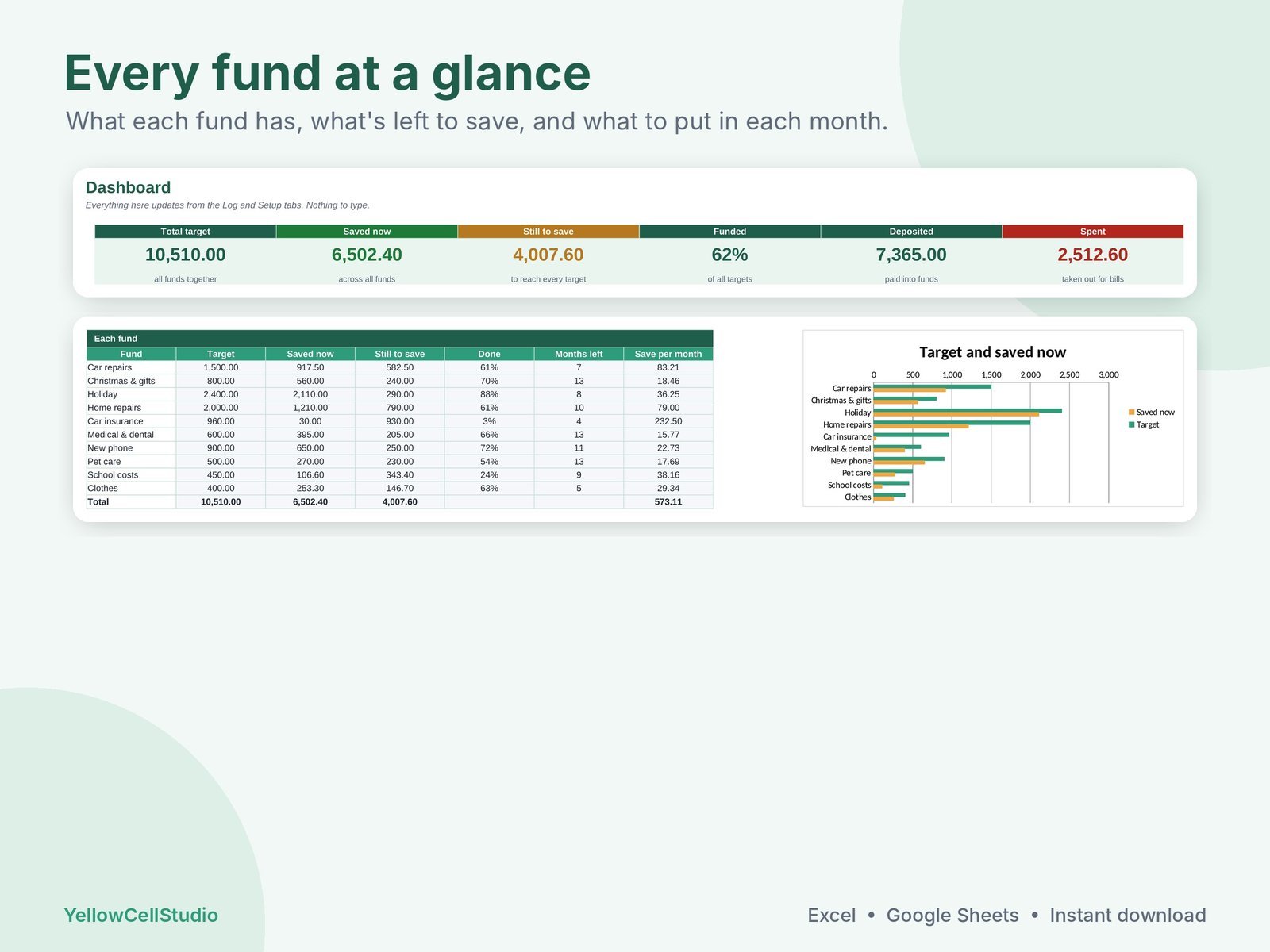
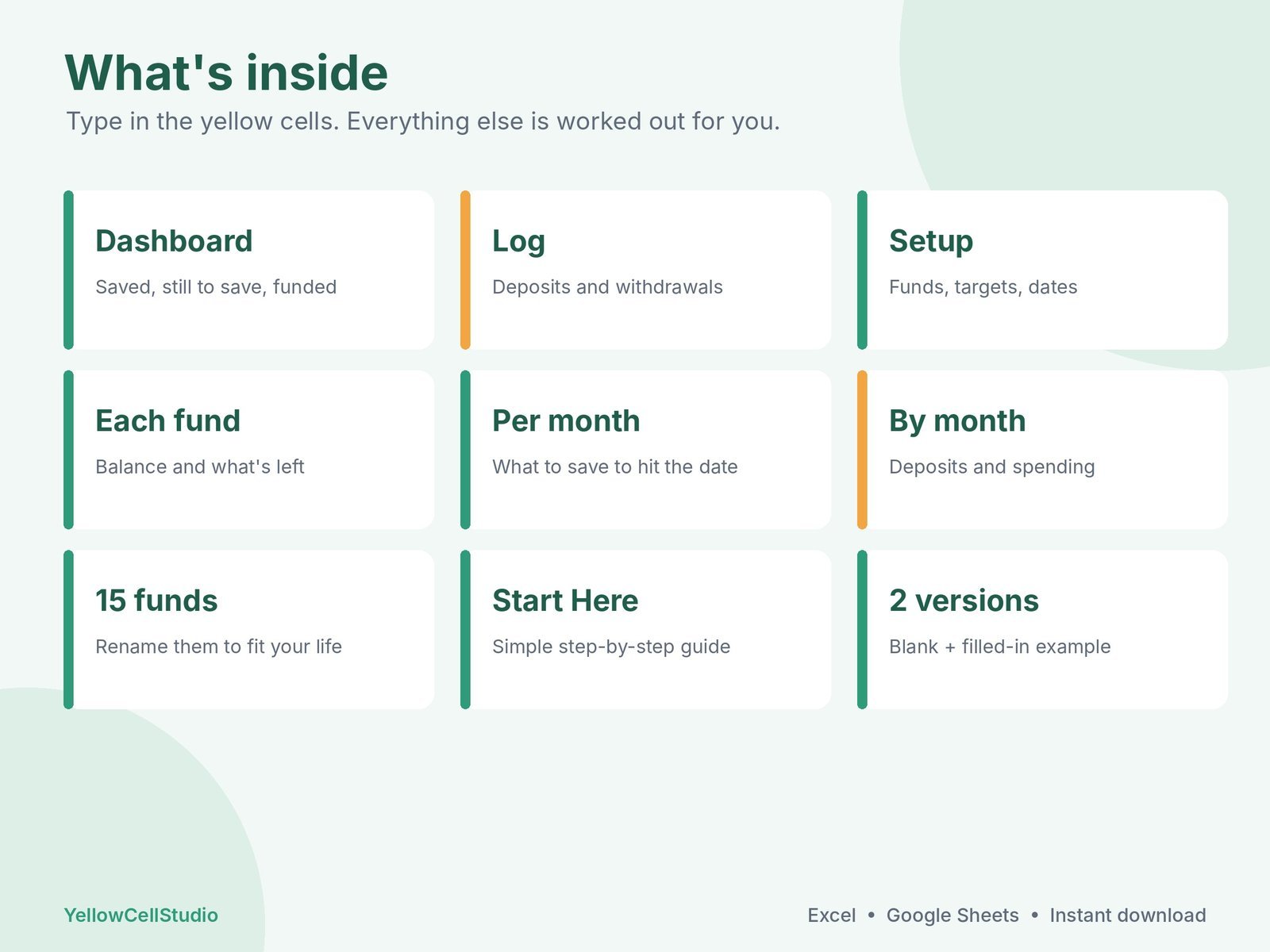
- Dashboard: total target, saved now, still to save, % funded, deposited and spent, with 2 charts
- Each fund: target, saved now, still to save, % done, months left and how much to save per month
- Month by month: deposits, spending and net change
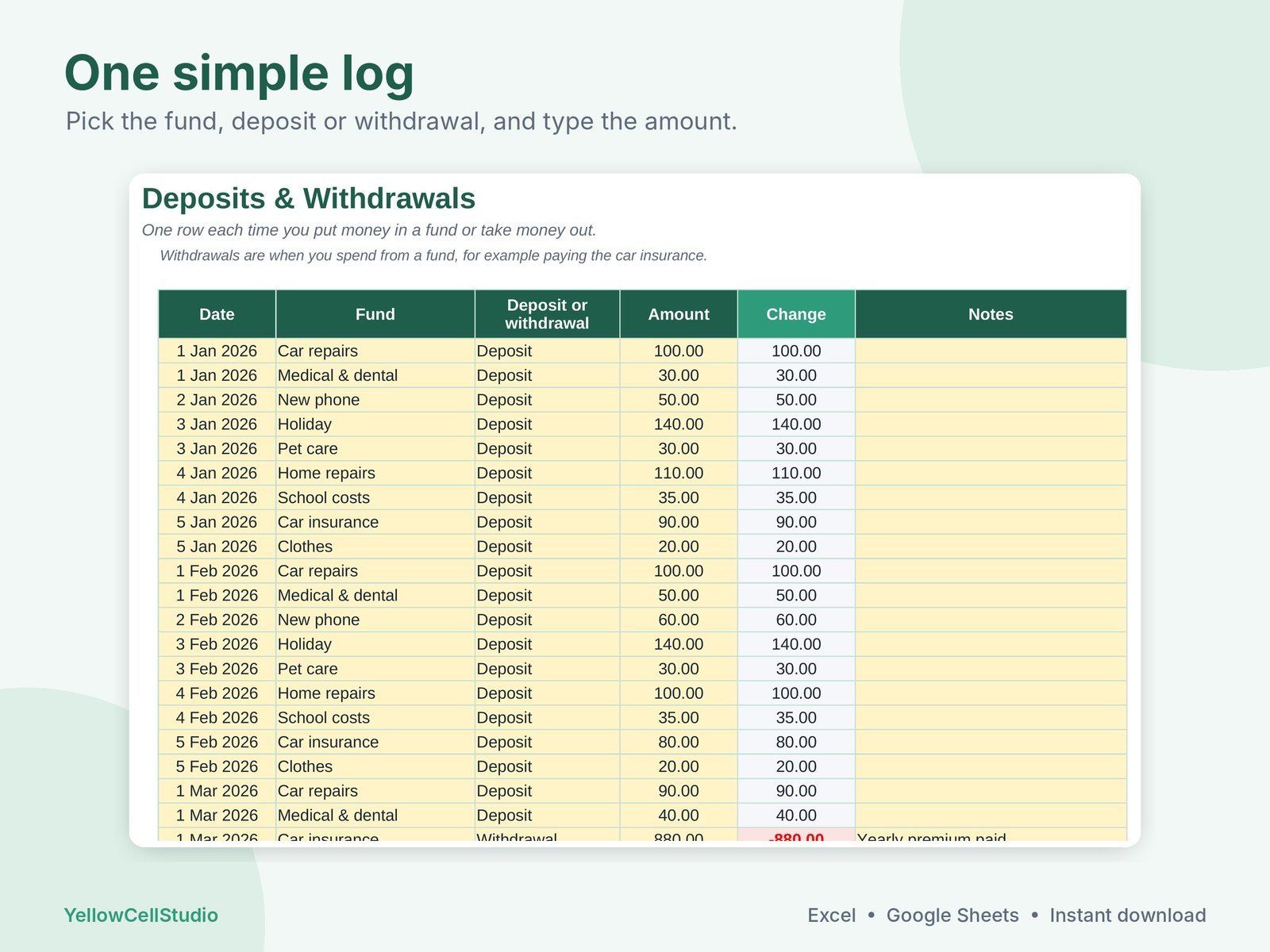
- Log: room for 400 deposits and withdrawals with dropdowns
- Setup: up to 15 funds, each with a target, what’s already saved and the date you need it by
- Start Here tab with simple steps
What you get
- 2 Excel files: a blank version and a filled-in example
- Opens in Excel or Google Sheets
- Instant download
How it works
- List your funds on the Setup tab, with a target and a date for each.
- Log each deposit and withdrawal on the Log tab.
- See balances and what to save each month on the Dashboard.
Good to know
- Months left and save-per-month use today’s date, so they update as time passes.
- Amounts have no currency symbol, so it works in any currency.
- Built for Excel 2016 or newer, Excel for Mac and Microsoft 365, using only standard functions that Google Sheets also supports.
- This is a digital download. Nothing will be shipped.
- For personal use. Please don’t share or resell the files.
Made by YellowCellStudio, a product of QSE Advisory. Before release, both files were recalculated and checked tab by tab for formula errors, and the example dashboard was checked against its data.
Questions
Is anything shipped?
No. You download two Excel files straight after checkout.
Does it work in Google Sheets?
It is built for Excel 2016 or newer and uses only standard functions that Google Sheets also supports. Upload the file to Google Drive and open it with Google Sheets.
Do I need to know formulas?
No. You type in the yellow cells and the rest is worked out for you. A Start Here tab walks you through it.