
Log your hours, print a clean invoice in one click and track Paid, Due and Overdue invoices. Clients, projects, expenses and a dashboard. Excel and Google Sheets.
$13.99
Buy on Etsy- Excel and Google Sheets
- Blank and filled-in example
- Instant download
- Secure checkout on Etsy
Log your hours, turn them into a clean invoice in a click, and always know who owes you what. Add your clients and projects once, track your time as you work, and the spreadsheet builds each invoice for you, adds it to your register and shows Paid, Due or Overdue on its own.
What’s inside
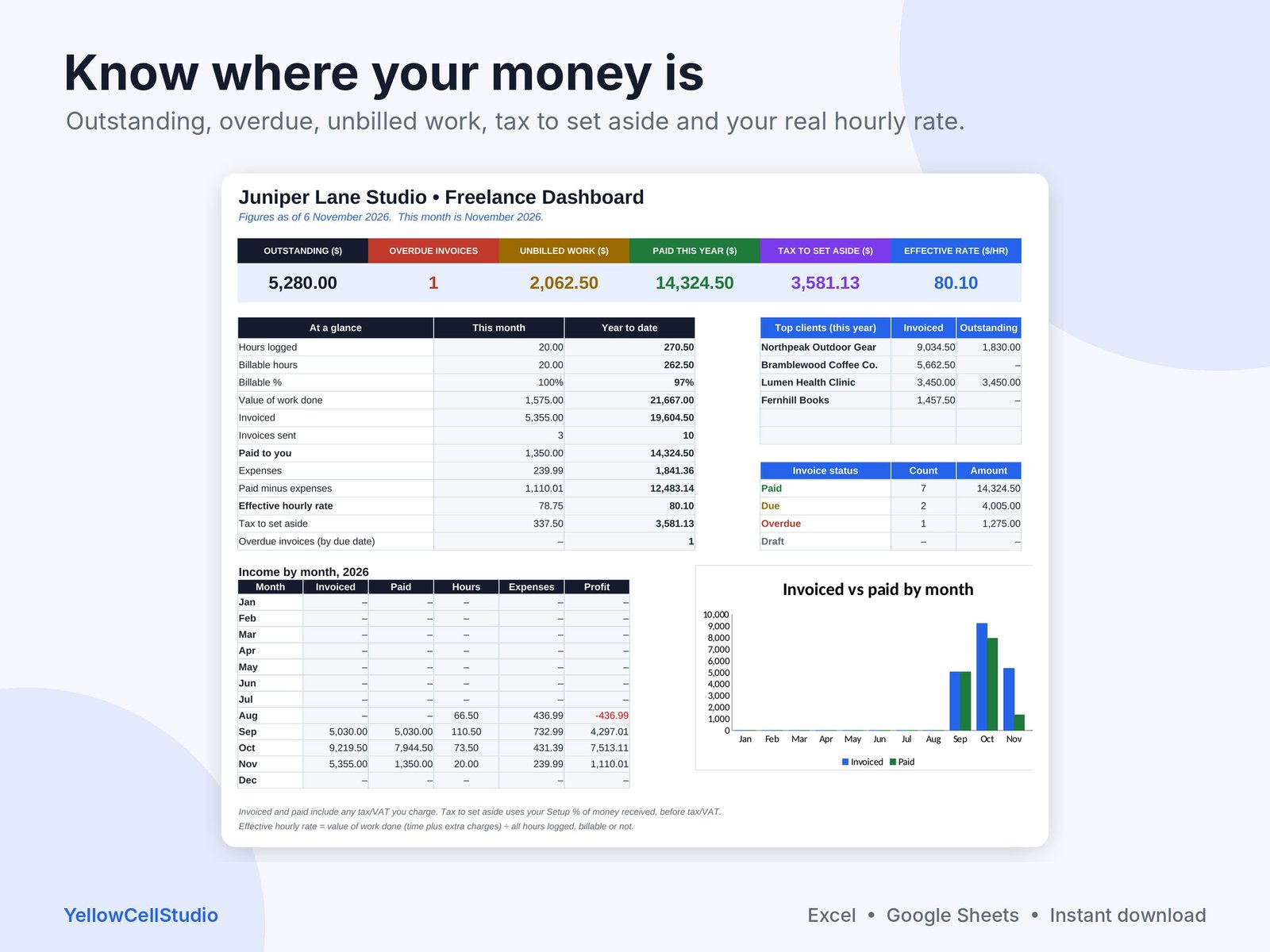
- Dashboard: this month and year to date at a glance. Hours, billable %, invoiced, paid, outstanding, overdue invoices, unbilled work, effective hourly rate, tax to set aside, income by month chart and top clients
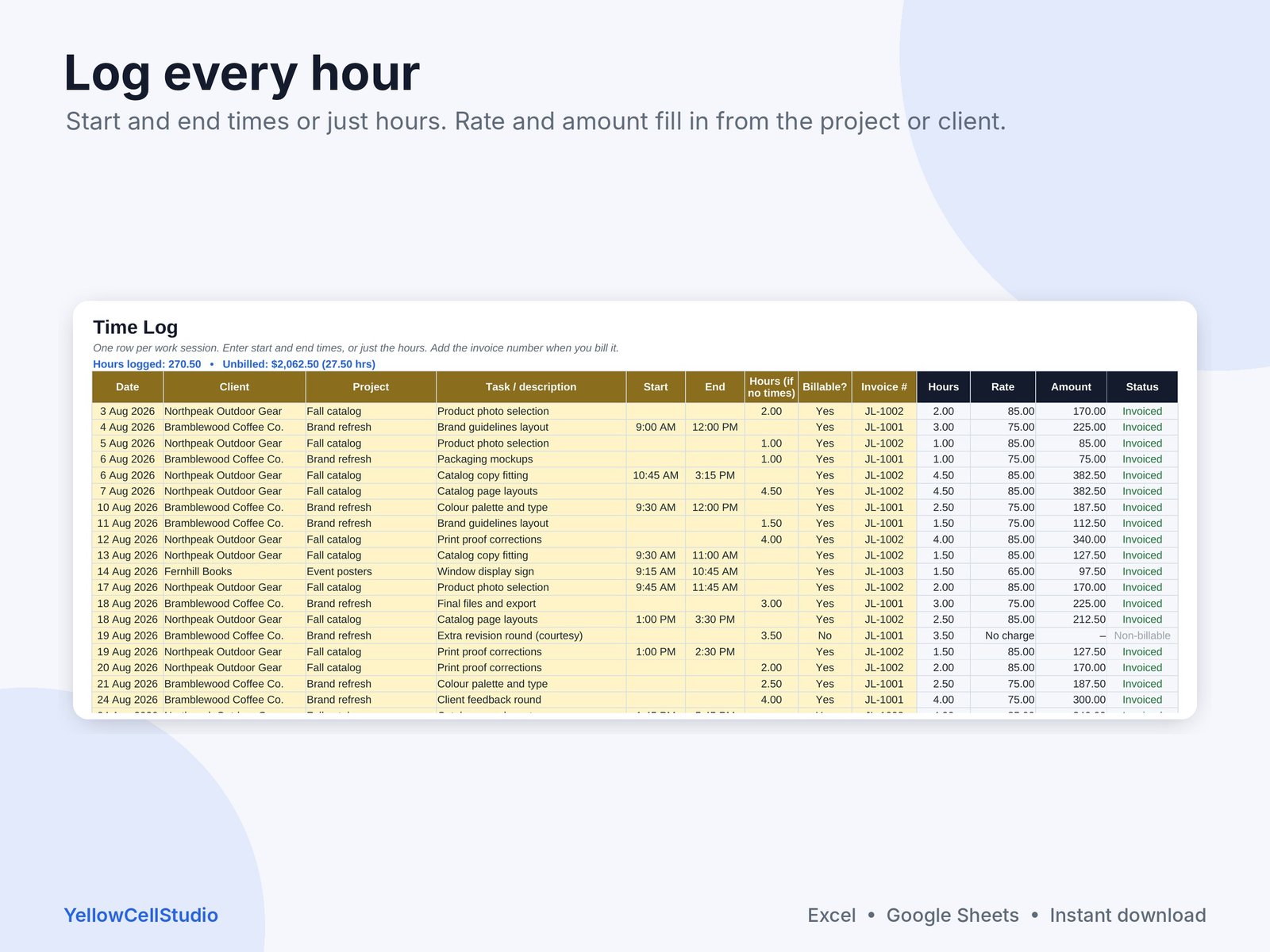
- Time Log: date, client, project and task. Type start and end times or just the hours. Rate and amount fill in by themselves
- Invoice: a printable invoice page. Pick an invoice number and your details, the client’s details, due date, line items and totals appear, ready to print or save as PDF
- Invoice Register: every invoice with due date, amount, tax/VAT, paid date, status (Paid, Due, Overdue) and days late
- Clients: contacts, addresses and an optional rate per client, plus hours, invoiced, paid and outstanding for each
- Projects: hourly or fixed fee, with an optional project rate, hours logged and value per hour
- Extra Charges: fixed fees, re-billed costs and discounts that go on an invoice
- Expenses: business costs by category with a yearly summary
- Setup: business name, address, email, payment details, currency, default hourly rate, payment terms, optional tax/VAT %, tax set-aside % and invoice number prefix
- Start Here guide, plus a filled-in example of a freelance designer with 4 clients, three months of time entries and 10 invoices
How it works
- Download the files after purchase
- Open in Excel, or upload to Google Drive and open with Google Sheets
- Fill in Setup, add your clients and log your time. Add an invoice on the register, tag the time you are billing, then print the invoice. Type only in the yellow cells. Everything else updates by itself
Good to know
- Works in Excel 2016 or newer, Excel for Mac, Microsoft 365 and Google Sheets
- Any currency. Tax/VAT on invoices is optional
- Rates apply in order: project rate, then client rate, then your default rate
- The invoice page prints on one A4 or Letter page
- Tax to set aside is a simple savings guide using your own %. It is not tax or legal advice
- This is a digital download. Nothing will be shipped
- For your own business use. Please do not share or resell the files
- Need help? Message us on Etsy and we’ll get you set up
Made by YellowCellStudio, a product of QSE Advisory. Every formula is tested in Excel and Google Sheets, and every file is checked by QSE Advisory experts before release.

Questions
Do I need Excel?
No. It works in Microsoft Excel 2016 or newer, Excel for Mac, Microsoft 365 and free Google Sheets.
How do I get the file?
Buy on Etsy and the download link appears straight away. Nothing is shipped.
Is it hard to use?
You only type in the yellow cells. Totals, dashboards and charts update by themselves, and a Start Here tab explains each step.
What if something doesn’t work?
Message us on Etsy. We fix errors fast and will help you set up the file.