Plan your whole wedding in one spreadsheet. Set your budget, track every cost and payment, keep your guest list and RSVPs in order, and tick off a ready-made to-do list as the day gets closer.
$12.99
Buy on Etsy- 2 Excel files: blank and filled-in example
- Opens in Excel or Google Sheets
- Instant download
- Secure checkout on Etsy
What’s inside
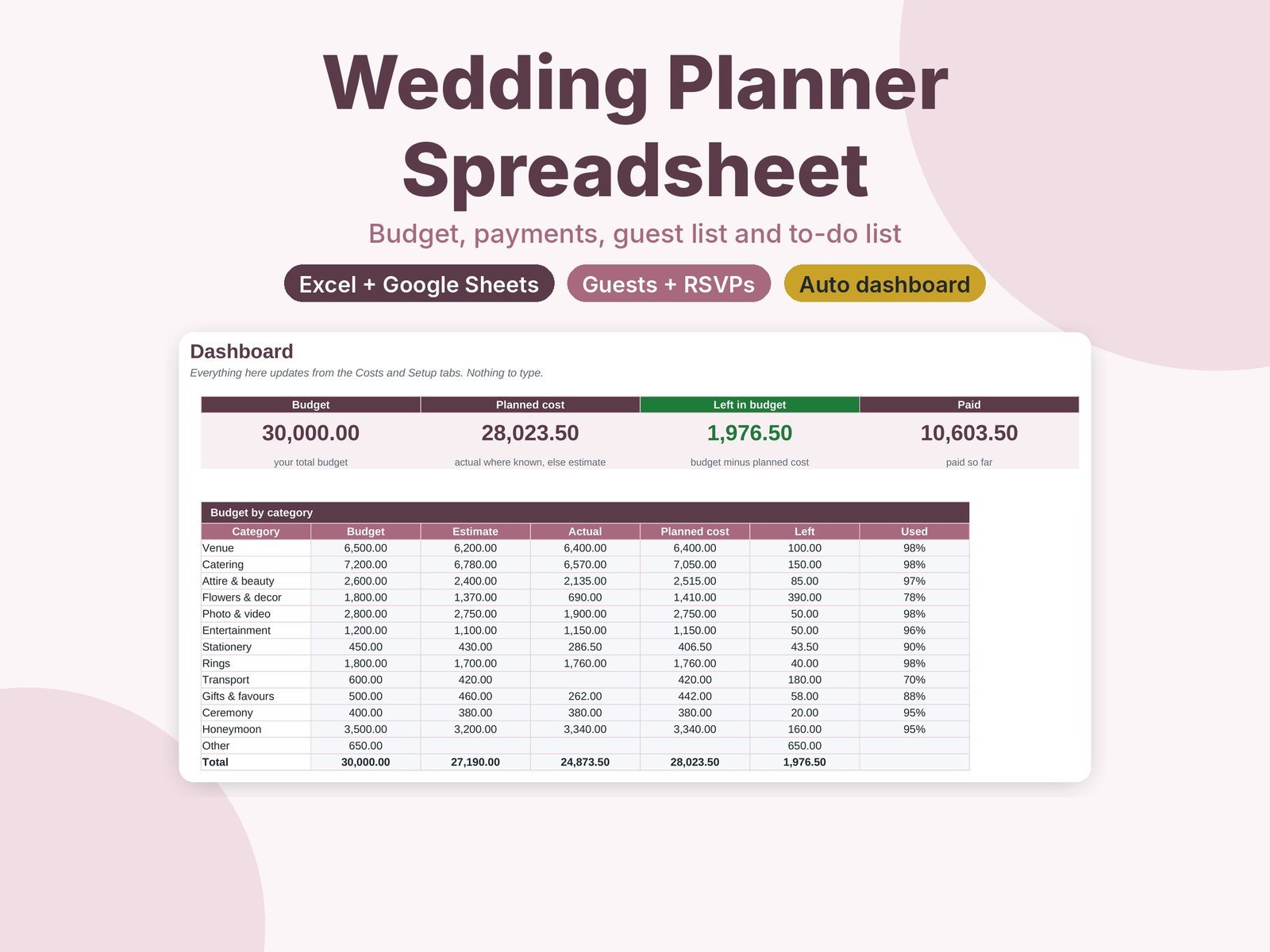
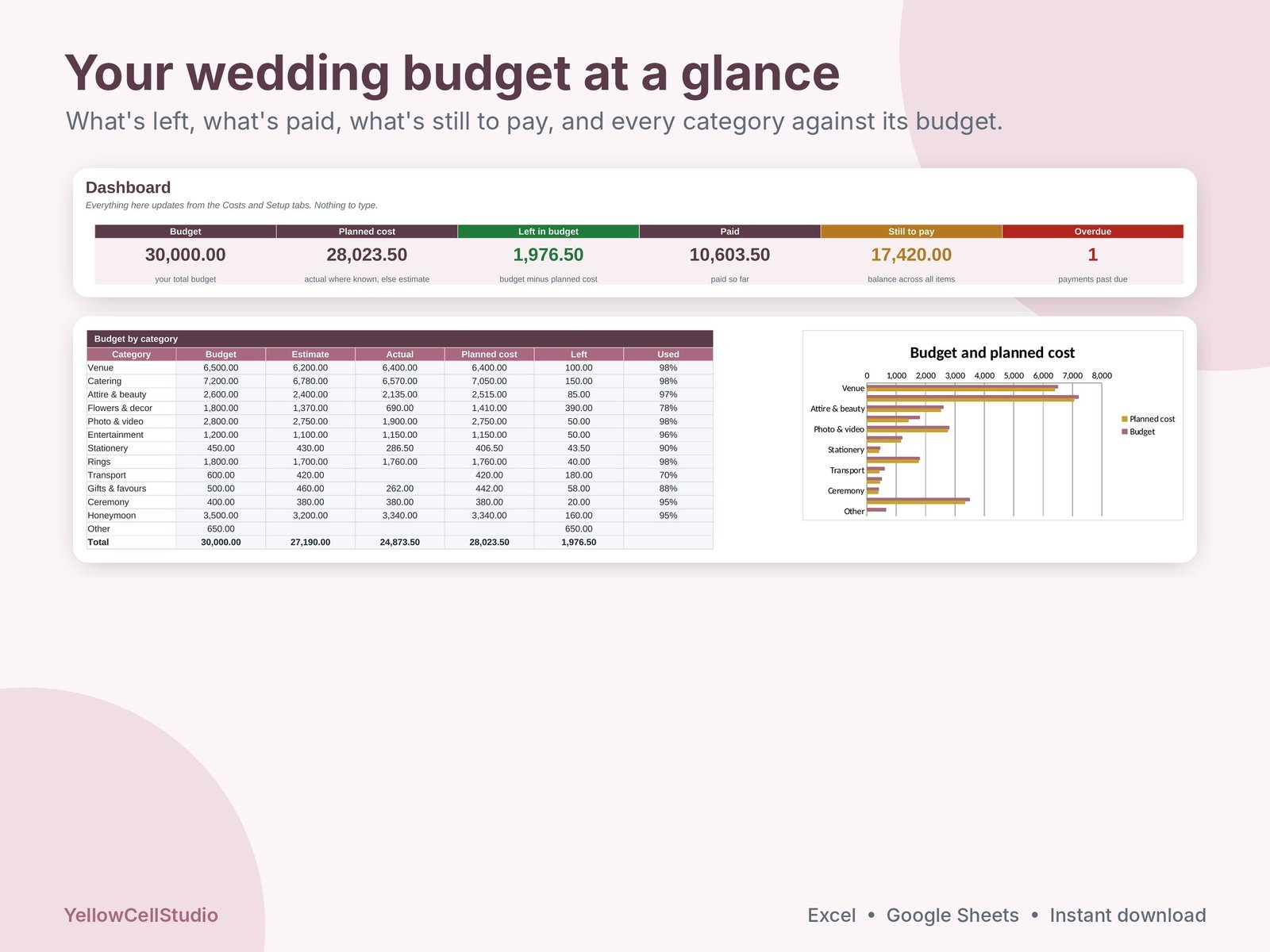
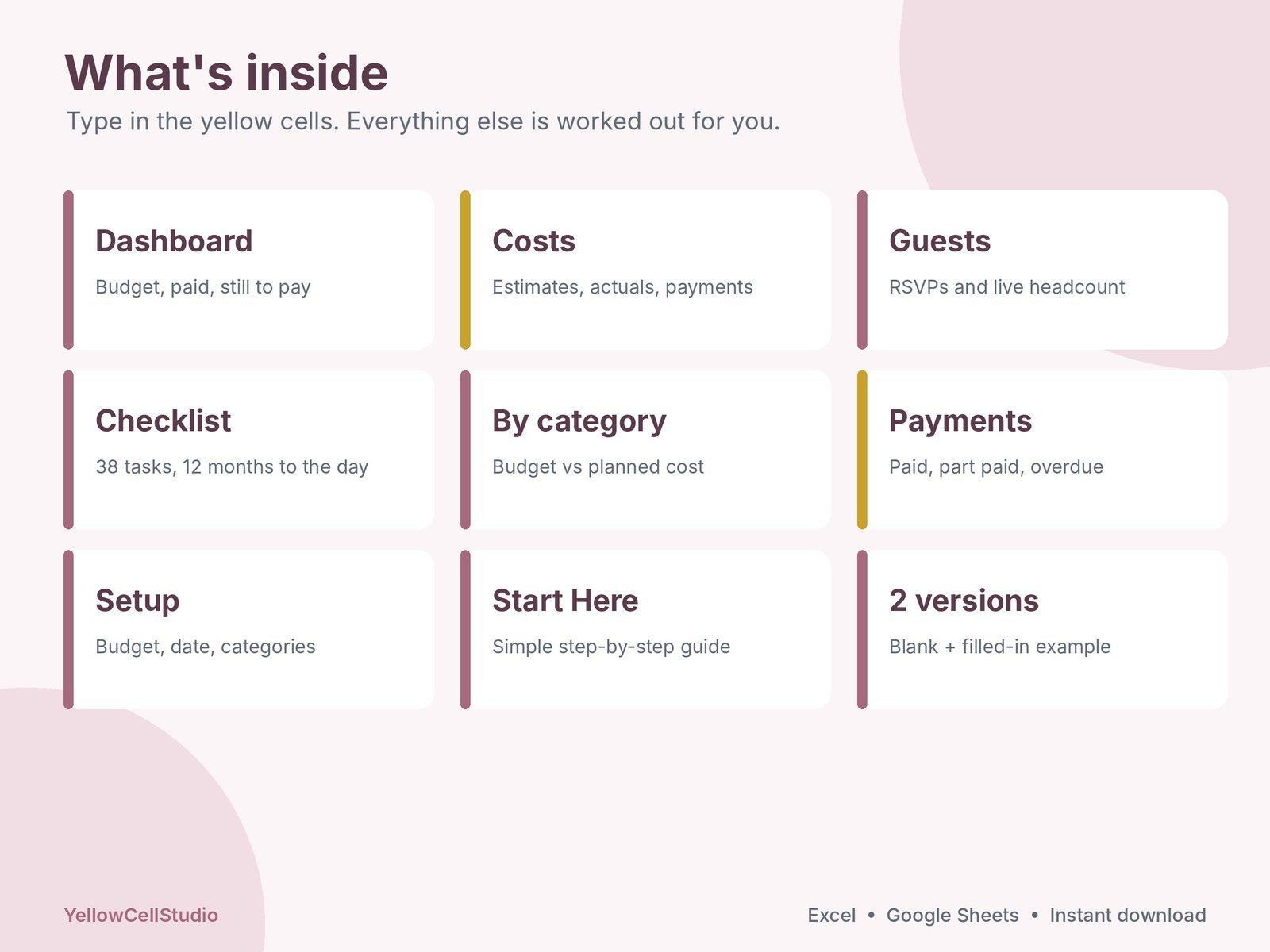
- Dashboard: budget, planned cost, left in budget, paid, still to pay and overdue count, with 2 charts
- Budget by category: budget, estimate, actual, planned cost, left and % used for up to 15 categories
- Costs: room for 200 items with estimate, actual cost, paid so far, next due date, status and balance
- Guests: room for 250 invitations with side, group, people invited, RSVP, meal notes, table and thank-you sent, plus a live headcount
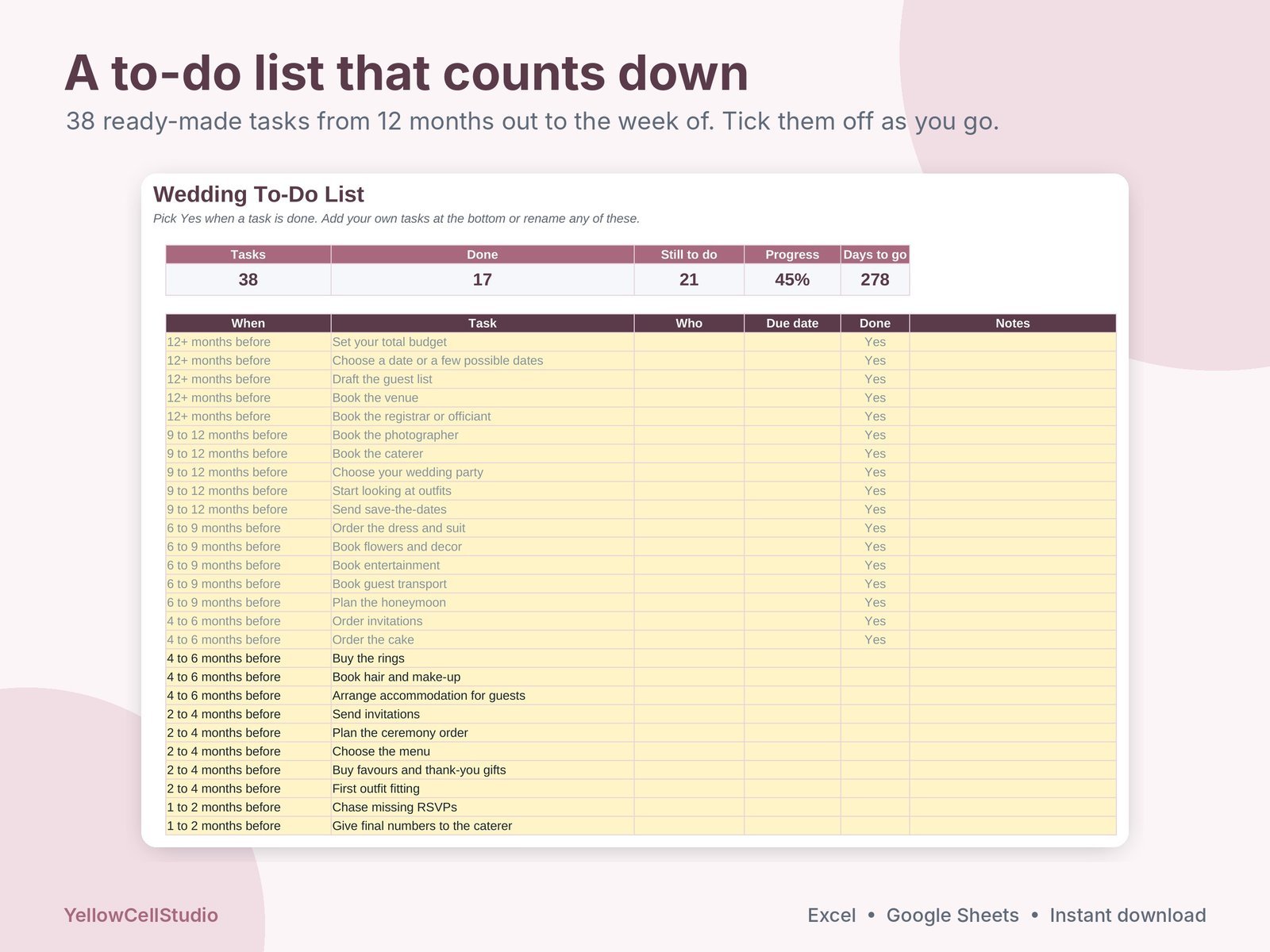
- Checklist: 38 ready-made tasks from 12 months out to the week of, with progress and days to go
- Setup: your total budget, wedding date and 13 ready-made categories you can rename
- Start Here tab with simple steps
What you get
- 2 Excel files: a blank version and a filled-in example
- Opens in Excel or Google Sheets
- Instant download
How it works
- Type your budget, wedding date and category budgets on the Setup tab.
- Add costs, guests and tasks as you plan.
- Check the Dashboard, the headcount and your progress any time.
Good to know
- Status and days to go use today’s date.
- Amounts have no currency symbol, so it works in any currency.
- Built for Excel 2016 or newer, Excel for Mac and Microsoft 365, using only standard functions that Google Sheets also supports.
- This is a digital download. Nothing will be shipped.
- For personal use. Please don’t share or resell the files.
Made by YellowCellStudio, a product of QSE Advisory. Before release, both files were recalculated and checked tab by tab for formula errors, and the example dashboard was checked against its data.
Questions
Is anything shipped?
No. You download two Excel files straight after checkout.
Does it work in Google Sheets?
It is built for Excel 2016 or newer and uses only standard functions that Google Sheets also supports. Upload the file to Google Drive and open it with Google Sheets.
Do I need to know formulas?
No. You type in the yellow cells and the rest is worked out for you. A Start Here tab walks you through it.